

How to Add Follower Recognition to Your Social Media Toolbox
3 Step Process
Ding.
The sound on the phone’s notification bar goes off and a notification pops up: “@KateOvens just tweeted you a photo.” As the app opens, you begin reading the tweet, and satisfaction from being recognized for a job well done sets in.
The tweet talks all about how great your business is.
It feels good — so, so good.
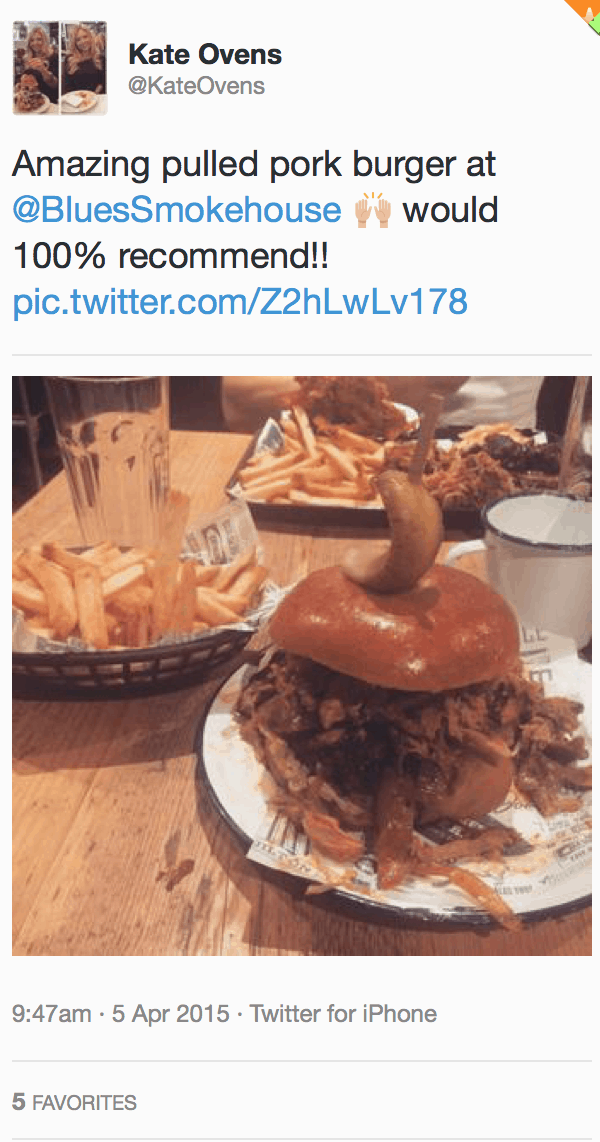 Someone took the time to take a picture and write a positive experience about your company. This is what Social Media for business is all about.
This is sweet redemption. Like a lot of folks running a business Twitter account, maybe it has felt like tweets have done little more than disappear into thin Twitter-air. And maybe all the planning about how to make the perfect viral post for the company never really panned out. But this, this was perfect.
Create a Follow-Up Content System
The question is what to do next. Of course, the obvious thing is retweet and reply back with a kind word. Do it. It would be rude not to retweet, and could potentially turn away a repeat customer. Beyond that, here are three easy steps that will help make a tweet like this turn into a perfect moment for the user on the other end, which is exactly the point. [column type=”one-half” fade_animation=”in” fade_animation_offset=”45px”]
(1) Download the photo and throw it into Photoshop
This assumes you have basic experience with photo and text editing. If not, feel free to reach out for help.

(2) Use colors that connect with your brand
Blue’s Smokehouse’s strongest color is blue — simple and obvious.
With a bit more creativity, a darker blue layer at 50% opacity was used to create a nice background that helps the text stand out.

(3) Copy, Paste and Recognize the tweet text and user with text on the photo
Whoever is doing this will need to apply branding elements to the design. Consistent font choices make the branding strong. For this example, the “Special Elite” font was used — giving an edgy, bold, American-BBQ-style look that fits the client’s vibe.
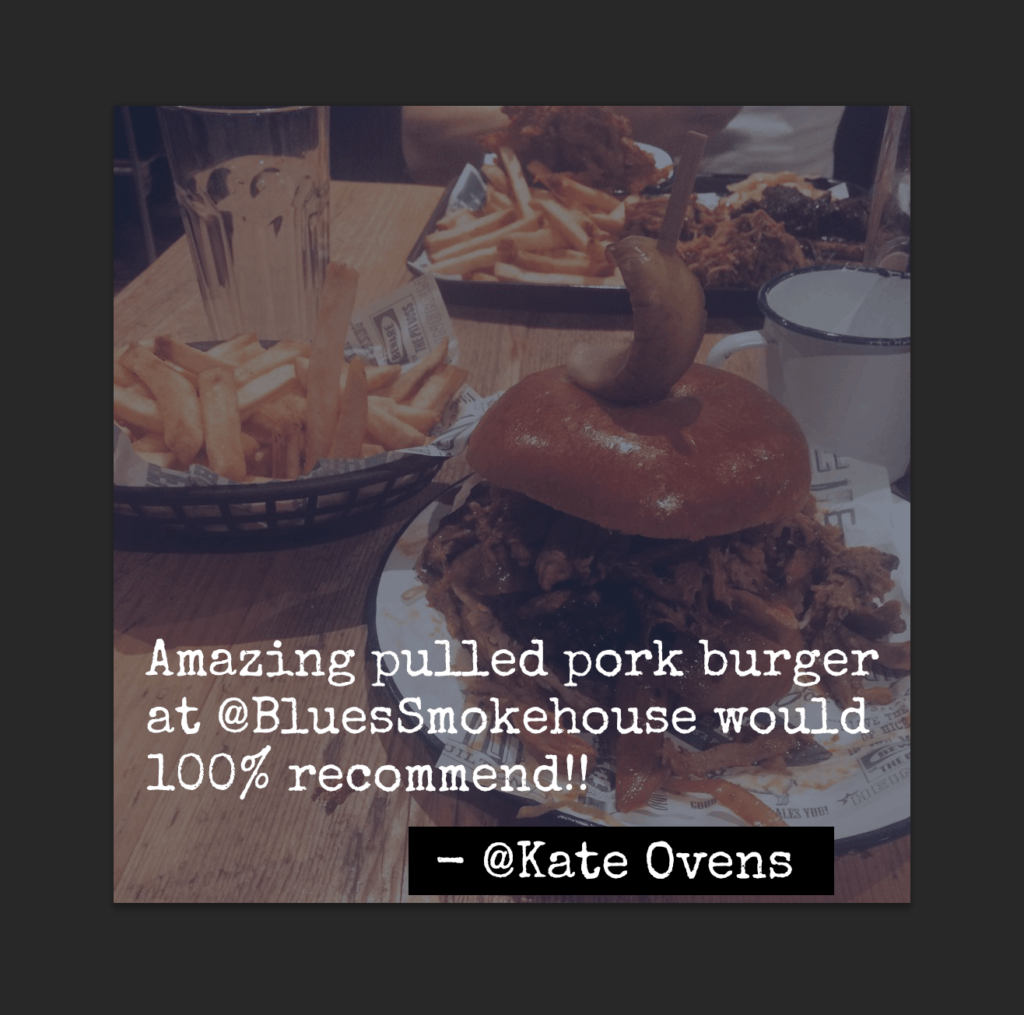
Watch Users Share the Love – and become a repeat customer
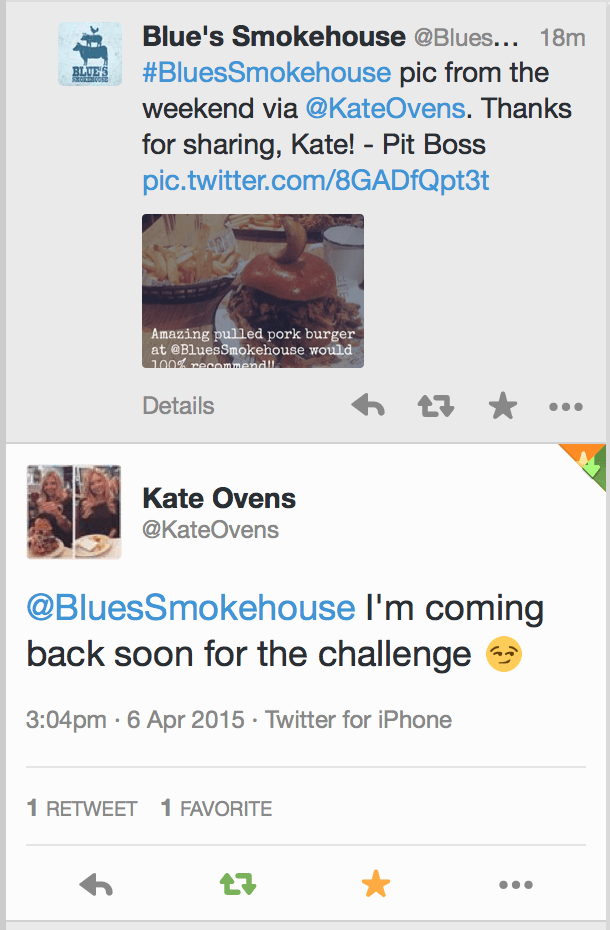
That’s it! The repurposed post was shared, and Kate tweeted back. Not only did she see it and feel appreciated, but she also said she’s coming back soon to try the famous Blue’s Smokehouse Challenge Platter.
Another successful customer engagement on social media.
Let me know if you have any questions in the comments.
Let me know if you have any questions in the comments.






Leave a Reply